 43 25 No Key
bLockerman’s Minesweeper Script (Delta Mobile) – Perplexity Hub: Auto Solver
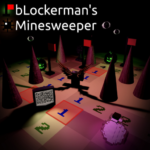
bLockerman's Minesweeper · RobloxDescription
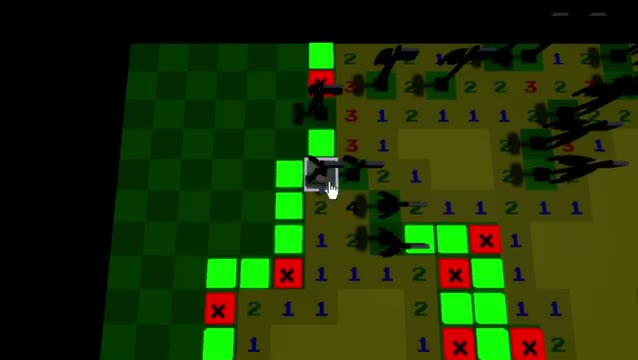
Perplexity Hub is a bLockerman's Minesweeper solver you can run in Delta on mobile and PC. It colors the board for you: green tiles are clear to open, red tiles are confirmed mines and purple marks the best guess. Press H to toggle highlights. Made by Perplexity; no key.
Key Features
- Auto Solver Highlights
- Green Tiles = Clear to Open
- Red Tiles = Confirmed Mines
- Yellow Tiles = Needs More Info
- Purple Tile = Best Guess
- H Key Toggles Highlights
- DEL Key Removes the Script
Minesweeper punishes one bad click, and bLockerman’s version is no different. Perplexity Hub does not click anything for you. This bLockerman’s Minesweeper script works out the board and paints the answer on top of the tiles, leaving you to make the moves.
What each colour means
| Colour | Meaning |
|---|---|
| Green | Proven safe. Open it. |
| Red | A confirmed mine. Leave it alone. |
| Yellow | The solver can’t decide yet, so it needs more of the board revealed. |
| Purple | Nothing is certain, and this is the tile with the best odds. |
Loading Perplexity Hub
No key is involved. The loader is a tiny GitHub file that checks the place ID first: inside bLockerman’s Minesweeper (place 7871169780) it pulls the solver, and anywhere else it quietly does nothing. If you run it in the lobby of some other game and nothing appears, that is the reason. Join the minesweeper place, then execute again.
The solver itself is heavily obfuscated, so the code can’t be read line by line. Nothing in the small public loader asks for a key or sends data, but the obfuscated part can’t be checked the same way. The tested list now shows Delta, Codex, Arceus X, Fluxus and PC executors, and the page carries the mobile badge.
Two keys to remember
H turns the colour overlay on or off. DEL unloads Perplexity completely, so execute the loader again if you want it back afterwards.
Players often ask
Will it play the board for me?
No. It only highlights. Every click is still yours, which is why the yellow and purple colours exist.
Why are some tiles yellow and not green?
Yellow means the numbers around that tile don’t settle it yet. Open some green tiles elsewhere and the colours update as more numbers appear.
Is there more than one minesweeper script on Delta?
For bLockerman’s Minesweeper this is the only entry right now.
Board tip: clear every green tile before touching a purple one. Each safe tile you open adds numbers, which often turns the purple guess into a certain green or red.
loadstring(game:HttpGet("https://raw.githubusercontent.com/Perplexity-Hub/Perplexity/refs/heads/main/loadstring.luau"))()Video Showcase
 Game pagebLockerman's Minesweeper · 1 script on this siteRoblox ›