 17 4 No Key
Flight World Script (Delta Mobile) – Pumpkin ESP for the Halloween Event
Flight World · RobloxDescription
Pumpkin ESP is a Flight World script you can run in Delta on Android, iOS or PC. It includes pumpkin esp, pumpkin markers and more. It is a small event helper with no menu: it starts marking pumpkins as soon as you run it. The event may end soon. Created by skeletonsocrates5. No key.
Key Features
- Pumpkin ESP: marks every pumpkin in the Halloween event
- Dots stay on pumpkin spots so you can track them
Flight World’s Halloween event had players flying around looking for pumpkins hidden across the map. This Flight World script by skeletonsocrates5 does one thing: it marks every pumpkin with a bright orange dot that you can see from any distance, so you can plan a route instead of searching low and slow.
How the dots behave
Every 0.2 seconds it checks the world for anything with “pumpkin” in its name and pins a small orange circle on it, drawn on top of everything else. The dot stays the same size however far away you are. Flight World only loads the area around you, so the script remembers each pumpkin’s position. When you fly away and the pumpkin unloads, the dot stays on that spot. When you collect one and it disappears, its dot is removed, so the dots left on screen are the ones still to find.
Running it
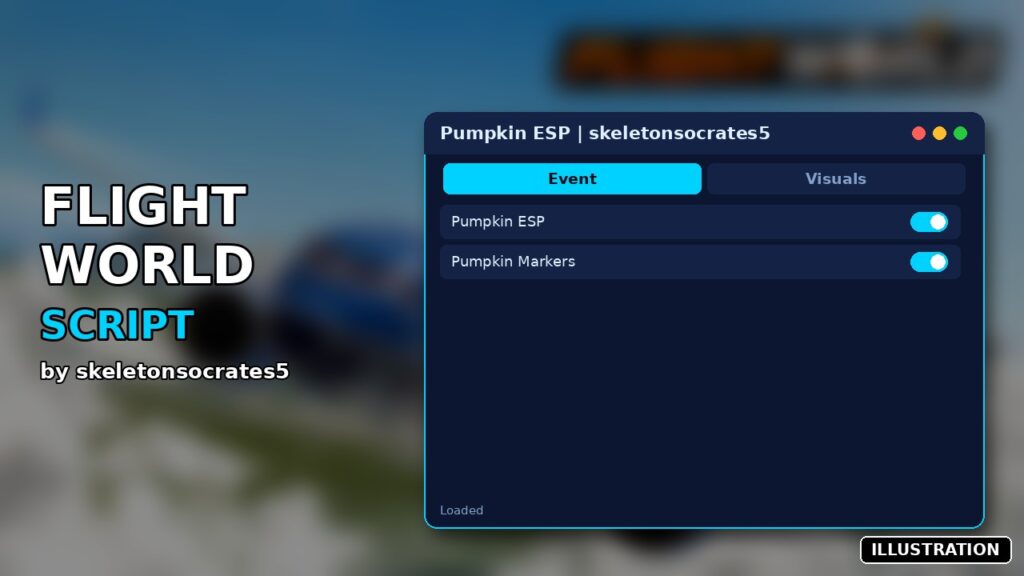
You get no window, and it needs neither a key nor a download. The code box is the whole script, under 200 lines. Run it in Delta once you’re in the game and it starts straight away. The menu on the cover image is only an illustration. There’s no off switch either, so to clear the dots, rejoin the server. Arceus X, Fluxus, Codex and PC executors share the tested row with Delta.
Questions
Why don’t I see any dots? Either nothing named “pumpkin” has loaded near you yet, or the event has ended. The listing warns that it might end soon, and the game’s title no longer has a Halloween label. Fly around for a minute before deciding it’s broken.
Does it collect pumpkins for me? No. It only shows where they are. You still fly to each one yourself.
Pilot tip: before you start collecting, do one high lap of the map in a fast plane. Every pumpkin that loads during the lap keeps its dot afterwards, so you end up with a full map of orange markers to fly through in order.
-- Configuration
local ESP_COLOR = Color3.fromRGB(255, 120, 0) -- Bright Pumpkin Orange
local ESP_HOLDER_NAME = "FlightWorld_Pumpkin_ESP"
local INTERVAL = 0.2 -- Scan interval optimized for memory stability
-- Services
local Workspace = game:GetService("Workspace")
local CoreGui = game:GetService("CoreGui")
local Players = game:GetService("Players")
-- Folders setup inside CoreGui (persists across workspace changes)
local ESPHolder = CoreGui:FindFirstChild(ESP_HOLDER_NAME) or Instance.new("Folder")
ESPHolder.Name = ESP_HOLDER_NAME
ESPHolder.Parent = CoreGui
-- Folder to hold virtual anchor parts for unstreamed pumpkins
local AnchorFolder = ESPHolder:FindFirstChild("Virtual_Anchors") or Instance.new("Folder")
AnchorFolder.Name = "Virtual_Anchors"
AnchorFolder.Parent = ESPHolder
-- Global Tracking Tables
local KnownPumpkins = {} -- Stores [Unique ID / Hash Key] = {Position = Vector3, Collected = false, CurrentPart = BasePart}
local ActiveDots = {} -- Stores [Unique ID / Hash Key] = BillboardGui
-- Simple hashing function to generate a unique string ID based on position
local function getPositionKey(position)
return string.format("%.1f_%.1f_%.1f", position.X, position.Y, position.Z)
end
-- Completely removes a single dot UI element
local function removeDot(key)
if ActiveDots[key] then
ActiveDots[key]:Destroy()
ActiveDots[key] = nil
end
end
-- Creates the true infinite-range billboard dot attached to a specific part
local function createInfiniteDot(key, targetPart)
if ActiveDots[key] then return end -- Already rendering a dot for this coordinate
local Billboard = Instance.new("BillboardGui")
Billboard.Name = "PumpkinDot_" .. key
Billboard.Size = UDim2.new(0, 16, 0, 16) -- Static pixel layout size
Billboard.AlwaysOnTop = true
Billboard.MaxDistance = math.huge -- Force infinite rendering engine threshold
-- Try setting distance matching mode to prevent perspective scaling down
pcall(function()
Billboard.DistanceMatchingMode = Enum.DistanceMatchingMode.Disabled
end)
Billboard.Adornee = targetPart
Billboard.Parent = ESPHolder
local Dot = Instance.new("Frame")
Dot.Size = UDim2.new(1, 0, 1, 0)
Dot.BackgroundColor3 = ESP_COLOR
Dot.BorderSizePixel = 0
Dot.Parent = Billboard
local Corner = Instance.new("UICorner")
Corner.CornerRadius = UDim.new(1, 0)
Corner.Parent = Dot
ActiveDots[key] = Billboard
end
-- Processes found pumpkin instances
local function trackPumpkinPart(part)
if not part:IsA("BasePart") or not part:IsDescendantOf(Workspace) then return end
-- If the pumpkin is already invisible, flag it as collected immediately
if part.Transparency >= 1 then return end
local pos = part.Position
local key = getPositionKey(pos)
local data = KnownPumpkins[key]
if not data then
-- Completely new pumpkin discovered! Save its coordinates permanently
KnownPumpkins[key] = {
Position = pos,
Collected = false,
CurrentPart = part
}
createInfiniteDot(key, part)
else
-- Known pumpkin streamed back into range
if not data.Collected then
data.CurrentPart = part
-- Switch the dot adornee back to the real game model part
if ActiveDots[key] then
ActiveDots[key].Adornee = part
else
createInfiniteDot(key, part)
end
end
end
end
-- Scan strings for pumpkin markers
local function checkIsPumpkin(instance)
if not instance or not instance.Parent then return end
if string.find(string.lower(instance.Name), "pumpkin") then
if instance:IsA("BasePart") then
trackPumpkinPart(instance)
else
for _, child in ipairs(instance:GetDescendants()) do
if child:IsA("BasePart") then
trackPumpkinPart(child)
end
end
end
end
end
-- 1. Setup initial world listeners
for _, desc in ipairs(Workspace:GetDescendants()) do
checkIsPumpkin(desc)
end
Workspace.DescendantAdded:Connect(function(descendant)
task.wait(0.05) -- Execution engine memory stabilization padding
if descendant and descendant.Parent then
checkIsPumpkin(descendant)
end
end)
-- 2. Master tracking loop
task.spawn(function()
while true do
-- STEP A: Manage states for all coordinates saved in history
for key, data in pairs(KnownPumpkins) do
if not data.Collected then
local realPart = data.CurrentPart
-- Check if the pumpkin was locally hidden/collected by the client
if realPart and realPart.Parent and realPart:IsDescendantOf(Workspace) and realPart.Transparency >= 1 then
data.Collected = true
removeDot(key)
-- Clean up any virtual anchor that was representing it
local oldAnchor = AnchorFolder:FindFirstChild("Anchor_" .. key)
if oldAnchor then oldAnchor:Destroy() end
-- Check if the pumpkin un-streamed because you flew too far away
elseif not realPart or not realPart.Parent or not realPart:IsDescendantOf(Workspace) then
-- Check if we already built a virtual anchor part for this location
local anchor = AnchorFolder:FindFirstChild("Anchor_" .. key)
if not anchor then
-- Build a tiny invisible part at the exact saved 3D position
anchor = Instance.new("Part")
anchor.Name = "Anchor_" .. key
anchor.Size = Vector3.new(1, 1, 1)
anchor.Position = data.Position
anchor.Anchored = true
anchor.CanCollide = false
anchor.Transparency = 1
anchor.Parent = AnchorFolder
end
-- Pin the dot to our persistent virtual anchor instead
if ActiveDots[key] then
ActiveDots[key].Adornee = anchor
else
createInfiniteDot(key, anchor)
end
end
end
end
-- STEP B: Continual workspace scanning for missed objects or freshly streamed targets
for _, desc in ipairs(Workspace:GetDescendants()) do
checkIsPumpkin(desc)
end
task.wait(INTERVAL)
end
end) Game pageFlight World · 1 script on this siteRoblox ›