 23 2 Requires Key
Wacky Games Script | S0ftKillz (Auto Minigames, Auto Push)
Wacky Games · RobloxDescription
Want the best Roblox script for [🤪] Wacky Games? S0ftKillz offers a script with amazing features like Auto Color Drop, Auto Minigames, Auto Bite, Auto Recover, Auto Red Light, Auto Win Route, Auto Musical Chairs, Auto Push and more. It runs on any executor and is simple to set up in minutes.
Key Features
- Auto Push
- Auto Red Light
- Bite Range
- Auto Move
- Auto Color Drop
- Speed Boost
- Auto Win Route
- Push Delay
- Auto Jump
- Auto Musical Chairs
- Tnt Escape Distance
- Auto Bite
- Anti Fall Hover
- Auto Minigame
- Tween Speed
- Chair Quick Grab
- Auto Recover
- Hover Height
- Push No Cooldown
- Bite Delay
- Checkpoint Step
- Bodyvelocity Boost
- Anti Knockback
- Tween TP Minigames
- Push Range
[🤪] Wacky Games is a party game of rapid-fire rounds for up to 24 players, and it already has about 4.6 million visits since its October 2026 launch. Rounds change constantly, from red light stops to chair scrambles, which is why S0ftKillz built this menu around one master switch, Auto Minigame, plus specific helpers for the rounds that show up most.
Round by round
- Red light: Auto Red Light stops and moves with the signal.
- Musical chairs: Auto Musical Chairs, with Chair Quick Grab to sit down faster than the lobby.
- Color drop: Auto Color Drop finds a safe tile.
- Obstacle runs: Auto Win Route follows the course, using Checkpoint Step, Tween Speed and Tween TP Minigames to control how it moves.
- TNT rounds: Tnt Escape Distance sets how far it keeps you from the blast.
Pushing, biting and staying up
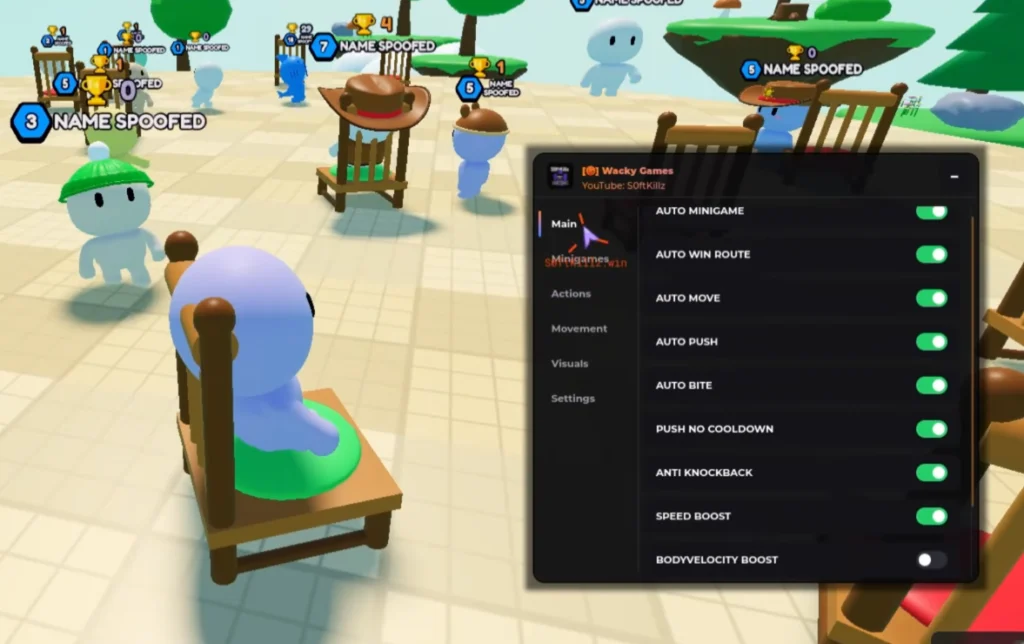
For the contact rounds there is Auto Push with Push Range, Push Delay and Push No Cooldown, and Auto Bite with Bite Range and Bite Delay. Anti Knockback stops others shoving you off, Anti Fall Hover with Hover Height keeps you floating over gaps, and Auto Recover brings you back if you do fall. Auto Move, Auto Jump, Speed Boost and Bodyvelocity Boost round out movement. In the preview most toggles on Main are switched on, with Bodyvelocity Boost left off.
Getting the menu up
The code box is a Pastebin loadstring that S0ftKillz reuses across several games, and it carries the Key required tag. Join a Wacky Games server, run the line in Delta and complete the key prompt; the window then opens with Main, Minigames, Actions, Movement, Visuals and Settings tabs. ArceusX, Trigon Evo, KRNL, Wave and Codex share the tested row, and phones are covered.
FAQ
Does it win every minigame automatically?
Auto Minigame handles rounds in general, and the named rounds have their own toggles, but the page has not been retested since posting, so expect gaps when a new round type appears.
Can I change how far the push reaches?
Yes. Push Range sets the reach and Push Delay spaces out the shoves, or switch on Push No Cooldown to skip the wait between them.
Chairs tip: keep Auto Move off during musical chairs and let Chair Quick Grab do the work, since moving around the ring can carry you away from the nearest seat when the music stops.
loadstring(game:HttpGet("https://pastebin.com/raw/VZhHdEcK"))()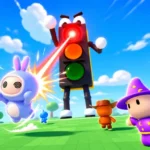 Game pageWacky Games · 1 script on this siteRoblox ›